Key Takeaways
- WordPress.org (self-hosted) and WordPress.com are fundamentally different platforms — small businesses that confuse the two often end up with restricted functionality and no true ownership of their site.
- Core Web Vitals are confirmed Google ranking signals, meaning a slow WordPress site actively suppresses local search visibility in competitive markets like Dayton and the surrounding Miami Valley region.
- Choosing a classic page-builder theme over a modern block-based theme can create vendor lock-in that turns a future redesign into a full rebuild rather than a simple refresh.
- Many small businesses discover too late that their web agency — not the business owner — controls the hosting account, domain, and WordPress admin credentials, which represents a significant operational risk.
- WordPress is not inherently SEO-friendly; it requires deliberate configuration of hosting infrastructure, image formats, caching strategy, and theme architecture to perform competitively in local search.
For small businesses across the Dayton metro — whether you’re running a medical practice in Centerville, a contracting company in Huber Heights, or a retail shop in Miamisburg — your website is not a brochure. It’s a revenue channel, a first impression, and a competitive asset that either works for you around the clock or quietly costs you leads every day. WordPress powers a significant share of those sites, and for good reason. But the way most agencies and blog posts explain it to small business owners is, frankly, incomplete.
The standard pitch goes something like this: WordPress is free, flexible, has 59,000 plugins, and is SEO-friendly out of the box. Hire someone, pick a theme, launch your site, and watch the leads roll in. That narrative skips over the strategic decisions that actually determine whether your WordPress site becomes a growth asset or a maintenance liability. This article covers what those decisions actually are, why they matter for your specific business context, and how to think about them before you build — or rebuild — your site.
WordPress.org vs. WordPress.com: The Fork That Trips Up Thousands of Small Businesses
Before any conversation about design, performance, or plugins, this distinction has to be settled. It is the single most common source of confusion for small business owners researching WordPress, and getting it wrong costs real money and time.
WordPress.org is the self-hosted, open-source platform. You download the software, install it on a hosting server of your choosing, and you own the environment completely. You can install any theme, any plugin, and you have full access to the database and file structure. This is what professionals mean when they say “WordPress.”
WordPress.com is a hosted service built on top of the WordPress software, operated by Automattic. On its free and lower-tier paid plans, your customization options are heavily restricted — you cannot install arbitrary plugins, you cannot modify code, and in some cases Automattic’s branding appears on your site. The higher-tier WordPress.com business plans unlock more flexibility, but you are still operating within a managed environment with meaningful constraints.
For a small business in Springboro or Beavercreek that needs a contact form, service pages, local SEO optimization, and integration with a CRM or scheduling tool, WordPress.com’s entry and mid-tier plans will create friction at nearly every step. The plugin restrictions alone eliminate most of the tools that make WordPress genuinely competitive for local business marketing.
The practical rule: If you are building a professional business website that you intend to optimize for local search, connect to marketing tools, and scale over time, you need WordPress.org installed on a hosting account you control. Everything else in this article assumes that context.
The Theme Architecture Decision Most Small Business Owners Get Wrong
Once you are on self-hosted WordPress, the most consequential early decision is your theme architecture. This is where most articles tell you to “choose a theme that reflects your brand.” That advice isn’t wrong — it’s just dangerously incomplete.
WordPress has undergone a fundamental architectural shift over the past several years with the introduction of the Gutenberg block editor and Full Site Editing (FSE). Understanding this shift is not optional for anyone making a long-term website investment in 2025.
Block Themes vs. Classic Page Builder Themes
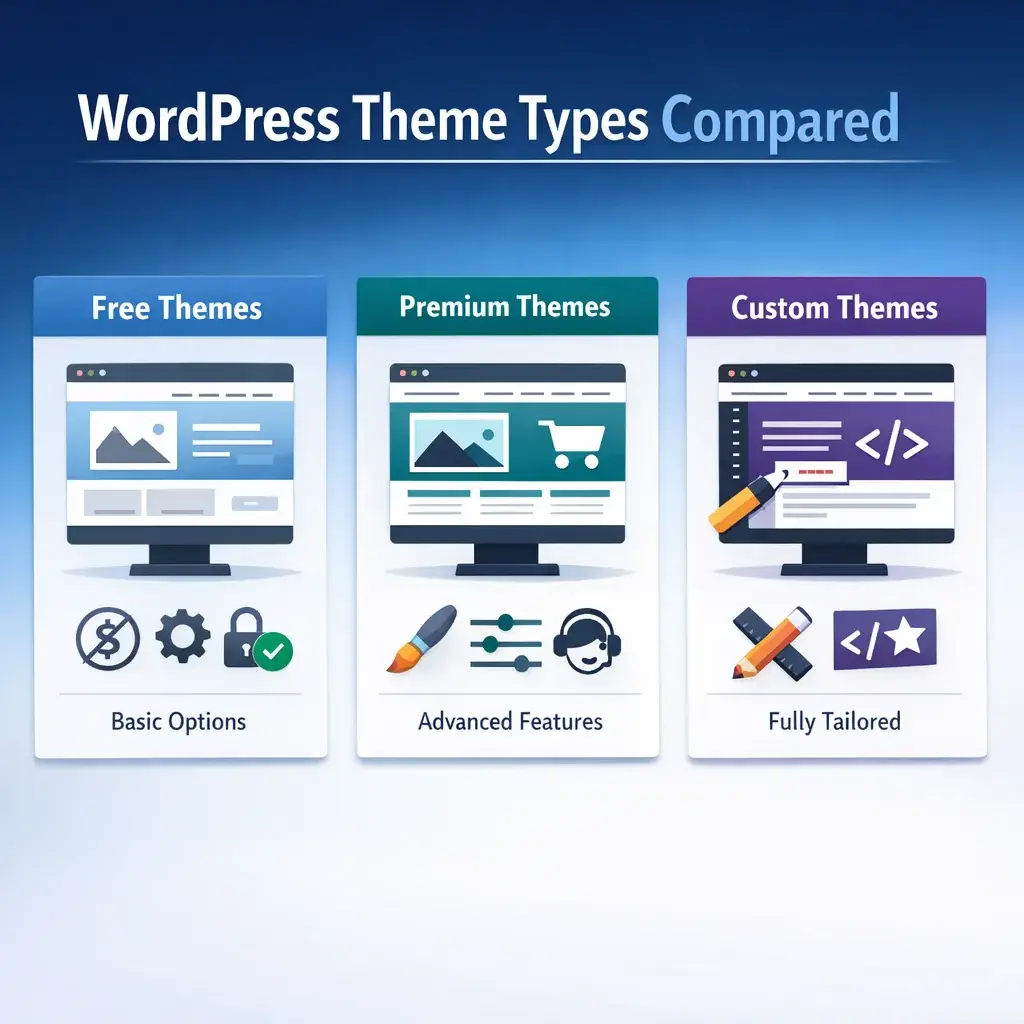
There are essentially three categories of WordPress themes operating in the market right now:
Block Themes (FSE-compatible): These are built around WordPress’s native block editor and Full Site Editing capabilities. They use the official theme.json system for design tokens, require fewer plugins to achieve advanced layouts, and align with the direction WordPress core development is actively heading. Examples include Twenty Twenty-Four, Kadence (in block mode), and GeneratePress with its block-first configuration.
Classic Themes with Page Builders: These predate Gutenberg and rely on third-party visual editors — Elementor, WPBakery, Beaver Builder, Divi — to handle layout and design. They are visually powerful and have enormous user bases, but they introduce a problem that most small business owners don’t discover until they’re already committed: content lock-in.
When your pages are built with a page builder’s shortcodes or proprietary block structure, your content becomes inseparable from that builder. Switch themes, and the layouts break. Stop paying the plugin license, and you lose access to editing those layouts. Migrate to a new host or a different platform years later, and you are often looking at a full rebuild rather than a straightforward migration. If you are already facing this situation, Website Redesign Services That Actually Convert is worth reviewing before you commit to another round of the same approach.
Hybrid Themes: Some themes straddle the line, offering both classic and block-based editing workflows. These can work well but require a clear strategy from the start to avoid accumulating technical debt as WordPress continues evolving.
What This Means for a Small Business in Dayton
If your business website is a five-to-fifteen page site covering your services, team, contact information, and a blog — which describes the majority of small businesses in the Miami Valley — a well-configured block theme will outperform a page-builder theme on speed, maintainability, and long-term cost of ownership. The visual flexibility argument for page builders is real, but it comes with trade-offs that deserve honest consideration before you commit.
If your site requires genuinely complex custom layouts — interactive product configurators, membership portals, advanced e-commerce — the conversation changes. But default to the simpler, more standards-aligned architecture unless you have a specific reason to do otherwise.
WordPress Performance Is Not Automatic — And That Has Direct SEO Consequences
Here is the most misleading claim repeated across virtually every WordPress article targeting small business owners: “WordPress is SEO-friendly out of the box.”
This was arguably true in 2012, when SEO was primarily about title tags and keyword density. In 2025, it is functionally false without significant qualification.
Core Web Vitals and Local Search Rankings
Google’s Core Web Vitals — Largest Contentful Paint (LCP), Cumulative Layout Shift (CLS), and Interaction to Next Paint (INP) — are confirmed ranking signals. These metrics measure how fast your page’s main content loads, how visually stable it is during load, and how quickly it responds to user interaction. A default WordPress installation with a premium page-builder theme, 20-plus plugins, and shared hosting will routinely fail all three.
That failure is not an abstraction. For a Dayton-area business competing in local search for terms like “HVAC service Kettering” or “family dentist Beavercreek,” a site that loads in four-plus seconds on mobile is at a structural ranking disadvantage compared to competitors whose sites pass Core Web Vitals. Google’s mobile-first indexing makes this non-negotiable in 2025.
The Plugin Accumulation Problem
Every plugin installed on a WordPress site adds weight. That weight comes in the form of additional HTTP requests, database queries, JavaScript files loading in the browser, and CSS that the browser must parse before rendering your page. Each individual plugin’s impact may be small. The compounding effect across 25 plugins is often severe — and it accumulates invisibly.
The honest answer most WordPress articles avoid: the plugin ecosystem is both WordPress’s greatest strength and its most common performance liability. Plugins are not inherently bad. Plugin sprawl — installing multiple plugins that overlap in function, keeping deactivated plugins on the server, or layering security, caching, and optimization plugins that conflict with each other — is where performance dies.
The Configuration Choices That Actually Determine Speed
Performance on WordPress is not a default state. It is the result of deliberate decisions across four dimensions:
| Configuration Layer | Poor Choice | Better Choice | Performance Impact |
|---|---|---|---|
| Hosting Infrastructure | Shared hosting with resource limits | Managed WordPress hosting (Kinsta, WP Engine, Cloudways) or a well-configured VPS | High — server response time (TTFB) directly affects LCP |
| Theme Architecture | Bloated page-builder theme with global scripts loading everywhere | Lightweight block theme or well-optimized classic theme with conditional asset loading | High — reduces render-blocking resources significantly |
| Image Format & Delivery | Large JPEG/PNG files served without compression | WebP format with responsive srcset attributes, served via CDN | High — images are typically the largest LCP element |
| Caching Strategy | Plugin-level caching only (WP Super Cache) | Server-level caching (provided by managed host) + CDN + browser caching headers | Medium-High — eliminates redundant PHP and database processing |
| Plugin Architecture | 30+ plugins with overlapping functions | Curated plugin set; one tool per function; regular audit and removal of unused plugins | Medium — reduces JavaScript/CSS payload and database load |
A small business site that gets all five of these right will typically score above 85 on Google PageSpeed Insights on mobile. One that gets none of them right commonly scores below 40. The ranking difference between those two outcomes in a competitive local market is real and measurable. For a deeper look at exactly which technical issues suppress rankings most often, the article on Technical SEO Services Dayton | Fix What’s Killing Rankings covers the patterns we see most consistently across local business sites.
The Website Ownership Problem Most Small Businesses Discover Too Late
Platform-level content ownership and operational ownership are completely different things. WordPress gives you the former by design. The latter requires deliberate action — and failing to secure it is one of the most avoidable disasters in small business web management.
How Businesses Lose Control of Their Own Sites
The scenario plays out with alarming regularity: a small business in Miamisburg or Centerville hires a freelancer or small agency to build their WordPress site. The agency registers the hosting account under their own email, buys the domain through their preferred registrar, installs WordPress, and sets the admin account to their credentials. The business owner gets a login to the front end and maybe a staging URL to review pages.
Eighteen months later, the relationship ends. The business owner wants to move to a new agency. They discover:
- The hosting account is under the previous agency’s email and payment method
- The domain registrar account belongs to the agency
- The WordPress admin credentials they have are editor-level, not administrator-level
- The premium theme license is registered to the agency and is not transferable under the license terms
This is not a hypothetical. This is a pattern that recurs constantly across the industry, and it is entirely preventable with a basic ownership checklist established at the start of any web engagement.
The Website Ownership Checklist
Every small business owner should be able to answer “yes, and I have the credentials” to every item on this list before their site launches:
Domain Ownership:
– Is the domain registered in my business name or personal name (not the agency’s)?
– Do I have direct login access to the domain registrar account (GoDaddy, Namecheap, Google Domains, etc.)?
– Am I listed as the administrative and technical contact in the WHOIS record?
Hosting Account:
– Is the hosting account registered under my business email address?
– Do I have the master login credentials (not just an added user account)?
– Is the payment method on the account mine, so I won’t lose the site if I stop paying the agency?
WordPress Administration:
– Do I have an Administrator-level account in WordPress — not just Editor or Author?
– Do I know where to access the WordPress admin dashboard directly (yourdomain.com/wp-admin)?
Plugin and Theme Licenses:
– Are premium plugin and theme licenses registered to my business account (not the developer’s)?
– Do I have documentation of which premium tools require renewal and when?
Backup and Recovery:
– Is there an automated backup system in place, and do the backups go to a storage location I control?
– Do I know how to restore a backup, or does my hosting provider offer one-click restore?
The Hosting Tier Decision: Why “It’s Just Hosting” Is the Wrong Frame
Hosting is the infrastructure layer that everything else runs on top of, and the performance and security differences between hosting tiers are not marginal — they are foundational.
Shared Hosting vs. Managed WordPress Hosting
Shared hosting means your WordPress site lives on a server alongside potentially hundreds of other websites, all sharing the same CPU, RAM, and bandwidth pool. When another site on the server experiences a traffic spike, your site slows down. When a neighboring site gets compromised, your site’s IP reputation suffers. Shared hosting is the entry point for cost-conscious website owners, and it shows.
Managed WordPress hosting is an infrastructure environment purpose-built for WordPress. Managed hosts (Kinsta, WP Engine, Flywheel, and others) provide server-level caching, automatic WordPress core updates, daily backups with point-in-time restore, built-in CDN, and malware scanning as standard features. The environment is optimized specifically for WordPress’s PHP and database patterns.
The performance difference is not subtle. Server response time (measured as Time to First Byte, or TTFB) on a well-configured managed WordPress host will typically be under 200 milliseconds. Shared hosting commonly exceeds 600-800ms TTFB under normal load — before the browser has even begun loading your page content.
For a Dayton-area business with local competitors who are investing in their digital infrastructure, this gap has direct consequences for both user experience and search rankings.
The VPS Middle Ground
A Virtual Private Server (VPS) running a stack configured for WordPress — typically NGINX or Apache, PHP 8.x, Redis for object caching, and a CDN like Cloudflare — can match or exceed managed hosting performance at a different cost structure, but it requires technical administration that most small business owners cannot or should not do themselves. If an agency proposes VPS hosting for your site, make sure ongoing server administration is clearly defined in the engagement scope.
The DIY vs. Professional vs. Managed Middle Ground
Most articles present this as a binary choice: either you build it yourself with a drag-and-drop tool, or you hire a full-service agency. The reality has more texture than that.
The DIY route using WordPress page builders or hosted site builders is accessible and fast for a basic online presence. The trade-offs are well-documented: performance limitations, generic designs, and the accumulation of technical decisions you may not realize you are making. For a micro-business that needs a five-page brochure site and has the time to invest in learning, it can be a viable starting point.
The full-service professional route — engaging an agency or experienced developer to design, build, optimize, and maintain your site — produces the best outcome when done right and with the right partner. The key phrase is “done right.” That means the agency hands over full credentials, builds on a performance-optimized architecture, and provides ongoing maintenance with transparent reporting.
The managed middle ground is where many small businesses land most successfully: a professionally built site on managed WordPress hosting, with an ongoing maintenance retainer that covers updates, security monitoring, backups, and performance checks. This separates the expertise of the initial build from the ongoing operational burden — and it removes the single point of failure risk that comes with a site no one is actively maintaining.
The maintenance reality is non-negotiable: WordPress requires regular core updates, theme updates, and plugin updates. Neglecting these is not a theoretical risk. Outdated WordPress installations are the primary attack vector for the automated bot traffic that compromises small business sites every day. A Dayton restaurant or law firm that launches a WordPress site and treats it as a set-and-forget asset will eventually deal with a compromised site — it is a matter of when, not if.
Is WordPress Always the Right Answer for Small Businesses?
This is the question competitors universally avoid, because the honest answer doesn’t always point toward their service offering.
For some small businesses, WordPress is not the optimal platform. Here is a straightforward framework for thinking about it:
WordPress is a strong fit when:
– You need content publishing capabilities (blog, news, case studies)
– You need significant plugin-based functionality (e-commerce, booking systems, membership areas)
– You have ongoing marketing activity that benefits from deep SEO configurability
– You have or intend to engage professional support for maintenance
– You want platform portability and long-term content ownership
An alternative platform may be a better fit when:
– Your site is genuinely static — five pages, no content updates, no lead generation forms, no integrations
– You are a solo operator who needs to make quick content changes without any technical support and cannot commit to learning WordPress administration
– Your primary digital presence is a single-page site with a phone number and service area (in which case a well-optimized Google Business Profile may deliver more local search value than any website platform)
– Your e-commerce needs are highly specific and a purpose-built platform like Shopify handles them more efficiently out of the box
This kind of honest assessment is what distinguishes a genuine strategic partner from a vendor who has already decided what they are selling you. The right answer depends on your specific business context, your growth goals, and the resources you have available for ongoing site management. For most established small businesses in the Dayton metro area investing in a real digital marketing presence, WordPress on managed hosting, built with a performance-optimized block theme, and maintained with professional oversight, remains the most capable and flexible platform available.
Structured Data and Local SEO: The Configuration That Goes Beyond “Install Yoast”
Installing a WordPress SEO plugin is the starting line, not the finish line. Most small businesses treat plugin installation as the entirety of the SEO setup. It is not.
For local businesses in Kettering, Springboro, or any of the surrounding communities, the search visibility levers that actually move the needle include:
Schema Markup (Structured Data): Schema is machine-readable code that tells Google what your business is, where it is located, what hours it operates, what services it offers, and how customers have reviewed it. WordPress SEO plugins can generate basic schema, but Local Business schema, Service schema, FAQPage schema, and Review schema typically require deliberate configuration — not default plugin settings. A plumbing company in Huber Heights that has properly configured LocalBusiness and Service schema is giving Google significantly clearer signals than a competitor whose SEO plugin is running on default settings.
Google Business Profile Integration: Your website and your Google Business Profile are not independent assets — they are a connected system. Consistent NAP (Name, Address, Phone) information across both, along with structured data on the site that mirrors the Business Profile information, reinforces the local relevance signals that drive map pack rankings. The article on Google Business Profile Optimization Tips That Actually Work goes deeper on the specific configuration steps that move the needle for local businesses.
Internal Linking and Site Architecture: How your pages link to each other communicates topical relevance and page importance to search engines. A service business in the Dayton area with separate pages for each service it offers, each city it serves, and clear internal linking between them, will build topical authority more effectively than one that puts all services on a single page.
None of these are “out of the box.” All of them require deliberate strategic and technical execution. They are also the difference between a WordPress site that ranks and one that doesn’t.
Strategic Recommendations for 2026
WordPress web design for small businesses is not a static discipline. The tools and practices that produced results in 2023 are not sufficient for 2026. Three specific areas deserve your attention heading into the next year.
1. Prioritize Core Web Vitals as a Design Constraint, Not an Afterthought
Google’s Core Web Vitals — measuring loading performance, interactivity, and visual stability — are ranking factors, and they are measured on real user devices, not ideal lab conditions. In 2026, selecting a hosting provider that supports server-side caching, using a performance-optimized theme framework, and auditing third-party scripts (chat widgets, tracking pixels, review badges) for their performance impact should be baked into the design process from the beginning. Tools like Google PageSpeed Insights and the Chrome User Experience Report give you real-world field data, not just estimates.
2. Adopt AI-Assisted Content Workflows with Human Editorial Control
AI writing tools are not a replacement for subject matter expertise, but they are a legitimate accelerant for small business content production when used correctly. A roofing company in Beavercreek or a med spa in Centerville can use AI to draft service page outlines, generate FAQ content, or produce first drafts — provided a knowledgeable human reviews, refines, and adds the specificity that generic AI output lacks. The competitive advantage in 2026 will belong to businesses that combine AI efficiency with authentic local expertise, not those that publish raw AI output without review.
3. Treat Google Business Profile as a Second Website
The businesses earning the most visibility in local search are those that manage their Google Business Profile with the same intentionality they bring to their website. In 2026, that means regular photo updates, consistent post activity, service and product catalog population, and active Q&A management. The integration between a well-configured WordPress site and an actively maintained Business Profile creates compounding local search signals that neither asset produces as effectively on its own.
Frequently Asked Questions
Do I need a custom WordPress website, or will a template work for my small business?
Templates can be a functional starting point, but the distinction that matters is not template versus custom — it is configured versus unconfigured. A template that has been properly set up with your brand, your content, your site architecture, and your SEO structure will outperform a nominally “custom” site that was built without strategic intent. For most small businesses in the Dayton area, the goal should be a site that is built deliberately for your specific customers and service area, regardless of what theme framework underlies it.
How long does it take to see results from a new WordPress website?
Technical changes and on-page SEO improvements can produce measurable movement within weeks for businesses in less competitive local markets. For more competitive service categories or when building authority in a new area, a realistic window for meaningful organic search traction is three to six months. This is not a flaw in the approach — it reflects how search engines build confidence in a site’s relevance and authority over time. Paid search or social advertising can bridge the gap during that window.
What is the difference between a WordPress website and a website builder like Wix or Squarespace?
WordPress, particularly self-hosted WordPress on your own domain, gives you full ownership and control of your website files, your content, and your data. Website builders typically host your site on their infrastructure under their terms, which means your content and its continuity depend on their business remaining operational and their pricing remaining acceptable to you. For a small business building a long-term digital asset, the ownership and extensibility of WordPress is a meaningful structural advantage over proprietary builder platforms.
Does my WordPress website need ongoing maintenance after it launches?
Yes, and this is one of the most frequently underestimated aspects of website ownership. WordPress core software, themes, and plugins receive regular updates — some of which address security vulnerabilities. A site that is not maintained is a site that becomes increasingly vulnerable to exploits, compatibility issues, and performance degradation. Beyond security, ongoing content updates, performance monitoring, and SEO refinements are what separate a website that continues to generate business from one that becomes a static digital brochure.
Conclusion
A WordPress website built with genuine strategic intent — properly structured, locally optimized, and maintained over time — is one of the highest-return investments a small business can make in its long-term growth. Mongoose Digital Marketing works with small businesses across Dayton, Kettering, Beavercreek, Centerville, and the surrounding communities because we understand the local market and the specific competitive dynamics that determine who shows up when your neighbors are searching. If you are ready to build a website that actually works for your business, Contact Mongoose Digital Marketing and let’s start with a conversation about what the right approach looks like for you.