

The Social Media Management Software Decision Is Actually Three Separate Decisions — Here’s How to Make All of Them Correctly
Most businesses approach social media management software the same way they approach buying office furniture: browse a few options, pick the one that looks right, and hope it works out. The result is predictable. Within 90 days, the tool is either underused, misused, or quietly abandoned while the team reverts to spreadsheets and direct platform logins.
The problem is not the software. The problem is that most businesses are trying to answer a single question — “which tool should I use?” — when the real decision has three distinct layers, each requiring a different kind of thinking. Skip any one of them and you are not selecting software; you are gambling on it.
This guide is written for business owners and marketing leads who want to make a deliberate, defensible choice — one that holds up six months from now when the team has grown, the content volume has increased, or a new platform demands your attention. We are going to work through the operational audit you need before you ever open a vendor comparison page, the trade-offs that software vendors will not volunteer, and the evaluation framework that separates a productive pilot from an expensive feeling.
Decision One: What Does Your Content Operation Actually Look Like?
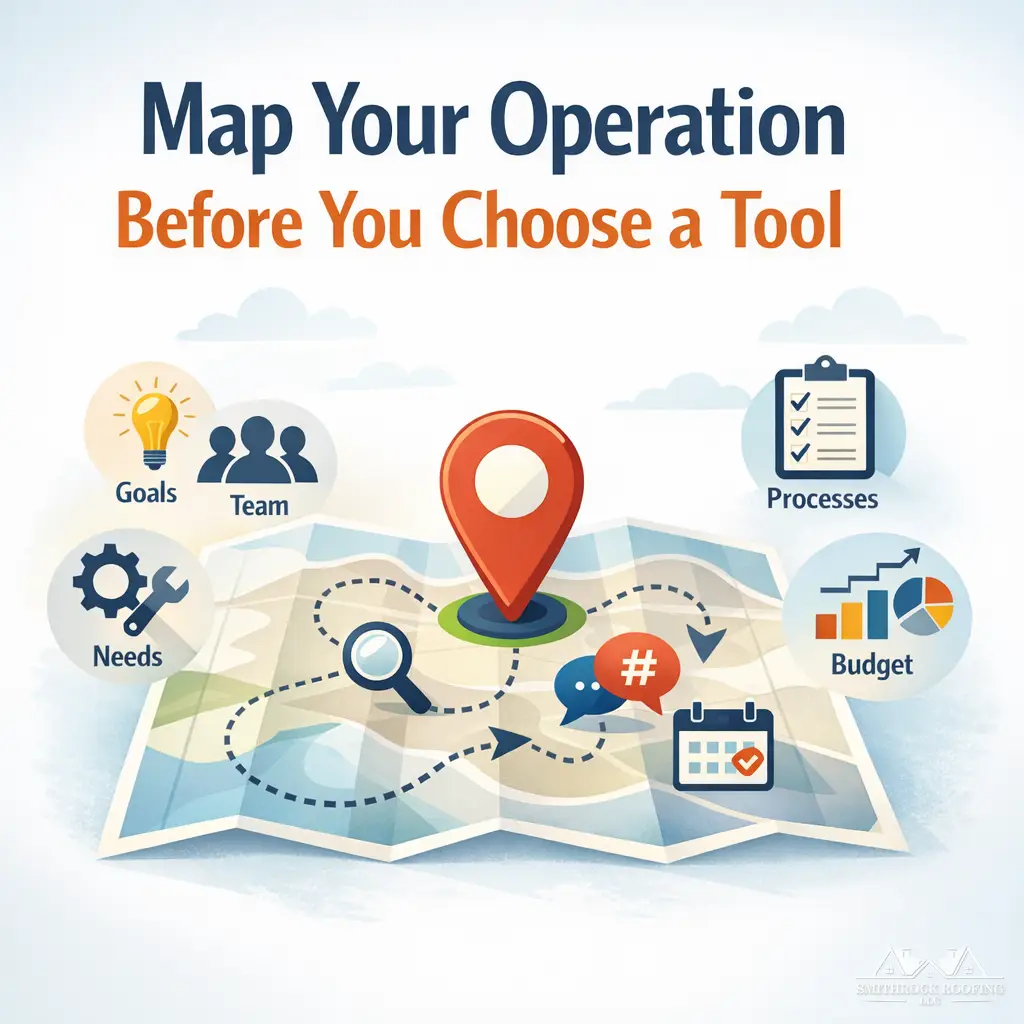
Before you evaluate a single feature, you need an honest map of how social media content currently moves through your organization. This is not a philosophical exercise. It is the diagnostic that tells you which category of software you actually need.
Most comparison articles start with platforms — “do you need Instagram support? LinkedIn? TikTok?” That is the wrong starting point. Platform coverage is a filter you apply at the end, not a foundation you build on. The correct starting point is your content operations workflow.
The Five Questions That Define Your Software Category
Work through these before touching a vendor website:
1. Where does content originate?
Does one person write everything? Does content come from a designer, a copywriter, a subject matter expert, and a manager in sequence? Or does it come from an agency you are briefing externally? The origination structure determines whether you need a simple scheduling layer or a full content production environment with briefs, drafts, and version control.
2. How deep is your approval chain?
If one person both creates and publishes content, approval workflow features are irrelevant overhead. If a compliance officer, a brand manager, and a regional director all need to sign off before a post goes live, you need a platform built around structured review and approval — and the absence of that feature is a dealbreaker, not a minor inconvenience.
3. What is your publishing frequency and content mix?
A business publishing three times a week across two platforms has fundamentally different operational needs than one publishing daily across six platforms with a mix of static images, short-form video, carousels, and link posts. High-volume, multi-format operations need robust media libraries, bulk scheduling, and format-specific previews. Low-volume operations are often over-served by enterprise tools and under-served by minimal ones.
4. Who owns response management?
If someone on your team is responsible for responding to comments, DMs, and mentions, you need a unified social inbox with assignment and status tracking. If you are purely a broadcast operation with no community management component, a full inbox suite is a feature you will pay for and never open.
5. What does reporting actually need to deliver?
Are you reporting to yourself? To a client? To a board? To a regional franchise network? The reporting requirement drives the analytics depth you need. Internal operators can often work with native platform analytics supplemented by a simple dashboard. Agencies managing multiple clients need white-labeled reports. Enterprise marketing directors need attribution modeling and cross-channel performance overlays. Buying more reporting capability than you need is expensive. Buying less is operationally paralyzing.
Mapping Your Answers to Software Categories
Your answers to those five questions will place you in one of three categories:
| Business Profile | Software Category You Actually Need |
|---|---|
| Solo operator or small team, low publish volume, single approval layer, broadcast-only social presence | Lightweight scheduling and queue management tool |
| Growing team, multi-platform presence, some approval workflow, community management starting to matter | Mid-tier social media management suite with inbox and basic analytics |
| Agency managing multiple clients OR in-house team with compliance requirements, high publish volume, structured approval chains, client-facing reporting | Full social media management platform with workflow automation, white-labeling, and API-level integrations |
| Complex organization with listening, crisis management, and cross-departmental stakeholders | Enterprise social suite — distinct from management tools, built around monitoring and organizational coordination |
This table is a rough compass, not a verdict. But if you spend 20 minutes honestly categorizing your operation before opening comparison sites, you will eliminate roughly 70% of the tools you would have otherwise wasted time evaluating.
Decision Two: Understanding the Trade-Offs Vendors Won’t Advertise
Once you have an accurate picture of your operation, you can start evaluating tools. But this is where most businesses make their second critical mistake: they accept vendor marketing claims at face value.
There are three trade-offs that every serious buyer needs to understand before committing to a platform. None of them appear prominently in feature lists.
The Algorithm-API Trade-Off
Social media management software schedules and publishes content through API connections to each platform. This is straightforward in principle. In practice, it carries a consequence that vendors have little incentive to highlight. For a deeper technical breakdown of how these connections actually work in production, the article Social Media API: What Really Matters in Production covers the mechanics that most buying guides skip entirely.
Several major platforms have, at various points, adjusted their distribution logic in ways that affect content published via third-party API connections. The mechanism varies by platform and changes over time, but the underlying dynamic is consistent: platforms want creators engaging natively because native engagement generates more platform activity, more time-on-site, and more data. Third-party posting via API is a functionally different signal.
The practical implication for your selection process is this: not all platforms are equivalent candidates for third-party scheduling.
For platforms where the content type is primarily informational, link-based, or evergreen — such as LinkedIn articles, Pinterest pins, and X (formerly Twitter) for B2B commentary — third-party scheduling tends to carry minimal strategic risk. The distribution algorithm on these platforms is less punitive toward API-posted content, and the operational efficiency gain from scheduling is real.
For platforms where the algorithm heavily weights engagement velocity and native behavior signals — particularly Instagram Reels and TikTok — the calculus is more complicated. High-stakes content on these platforms, particularly content you are depending on for organic reach growth, may perform differently when posted via a third-party tool versus posted natively.
The expert approach is not to abandon scheduling tools. It is to distinguish between content where scheduling efficiency outweighs the distribution trade-off and content where the reach implications justify a native posting workflow. Some tools support manual reminder workflows for this exact reason — they alert you when it is time to post, without automating the actual API submission. That is a feature worth specifically evaluating if you run high-volume organic campaigns on reach-sensitive platforms.
The Shelfware Problem
The social media management software industry has a quiet adoption failure rate that rarely surfaces in vendor case studies. The pattern looks like this: a business evaluates several tools, selects the most feature-rich option that checks the most boxes, rolls it out to the team, and then watches utilization quietly collapse over the following two months as team members default back to familiar, manual processes.
The cause is almost never a bad product. It is a mismatch between the software’s mental model and the team’s actual working habits. Every tool is built with assumptions about how social media teams think and operate. Some tools are built around content calendars as the primary object. Others are built around individual posts. Others are built around campaigns or clients. When the tool’s organizing logic does not match how your team naturally thinks about social content, the friction is subtle but cumulative — and it compounds daily until adoption quietly dies.
Before selecting a platform, have the actual users — not the decision-maker — run a structured evaluation. Give them specific, representative tasks to complete: schedule a week of content, respond to three mock comments, pull a performance report, and submit a post for approval. Measure how many steps each task requires and whether the workflow feels natural or forced. A tool that scores lower on the feature matrix but higher on workflow fluency will consistently outperform the reverse.
This is change management applied to software selection, and it is almost entirely absent from generic comparison content.
Vendor Stability and Lock-In Risk
The social media management software category has experienced significant consolidation and disruption over the past several years. Tools have been acquired by larger platforms and had their feature sets stripped or redirected. Freemium tiers have been eliminated with short notice, forcing migrations under pressure. Most significantly, when major platforms restructure their API access terms — as occurred with Twitter/X in 2023 — multiple vendors lost core functionality simultaneously, and their response times and communication quality varied enormously.
Before committing to any platform, assess four vendor stability indicators:
- Revenue model transparency: Is the vendor’s business model clear and sustainable, or is it dependent on a free tier that may disappear? Venture-funded tools in hyper-growth mode carry different stability profiles than established, profitable platforms.
- API dependency concentration: What percentage of the tool’s core value proposition relies on a single platform’s API? A tool that derives 60% of its utility from Instagram integration is more vulnerable to Instagram API changes than a tool with balanced multi-platform architecture.
- Historical behavior during disruptions: How did the vendor communicate and respond when Twitter/X changed its API structure? Vendors who communicated proactively, explained the impact clearly, and offered interim solutions demonstrated operational maturity. Vendors who went silent or issued vague assurances did not.
- Data portability: If you decide to leave the platform in 18 months, what happens to your historical analytics data, your content library, and your audience tagging? Some platforms offer full data export in standard formats. Others make migration deliberately difficult. This is a governance risk worth evaluating before you are locked in.
Decision Three: Running a Structured Evaluation That Produces Data, Not Feelings
The standard advice is “sign up for the free trial.” That is not a strategy. A free trial without a structured protocol produces impressions, not conclusions. Here is how to run an evaluation that generates actual decision data.
Define Your Pilot Scope Before You Start
Select three to five representative use cases that reflect your actual workflow at its most demanding. For most businesses, these should include:
- Scheduling a full week of content across all active platforms
- Managing and responding to incoming messages through the unified inbox
- Submitting content through the approval workflow (even if you have to simulate approvers)
- Pulling a performance report in the format you would actually use
- Adding or adjusting a content piece after initial scheduling
Run each use case with the team member who will actually use the tool daily, not the person who made the purchase decision.
Build a Simple Evaluation Rubric
Score each platform across these dimensions after completing the pilot use cases:
| Evaluation Dimension | What You Are Actually Measuring |
|---|---|
| Workflow Fluency | Does the tool’s logic match how your team thinks? Are common tasks findable without training? |
| Approval Chain Fit | Does the review workflow match your actual approval structure, or does it require workarounds? |
| Platform Coverage Quality | Does the tool support the specific content formats you use — not just the platforms? |
| Inbox Usability | Can response managers realistically manage volume through this interface? |
| Reporting Output | Does the report format match what your stakeholders actually need to see? |
| Migration and Exit Clarity | Is historical data exportable? Is onboarding from your current tool straightforward? |
| Support Responsiveness | How quickly and usefully did the vendor respond to a real question during your trial? |
Score each dimension from one to five based on your pilot experience. The tool with the highest aggregate score across your specific rubric is your strongest candidate — not the tool with the longest feature list.

Know Your Re-Evaluation Triggers
Software selection is not a permanent decision. Choosing a tool that fits your operation today and building in a defined review cadence is more sophisticated than searching for a theoretically perfect solution. Set a calendar reminder to re-evaluate your tooling when any of the following conditions occur:
- Your team size crosses a threshold where you now have dedicated social media staff (typically moving from one generalist to a specialized role)
- You add two or more new active platforms to your social media mix
- You transition from an agency-managed model to in-house management, or vice versa
- Your reporting audience changes — particularly if you begin reporting to external clients or executive stakeholders for the first time
- A major platform restructures its API access in a way that materially affects your current tool’s functionality
- Your content volume doubles over a six-month period
These are not arbitrary checkpoints. Each one represents a genuine shift in operational requirements that your current tool may not have been selected to handle.
The Build vs. Buy vs. Hybrid Question Most Articles Never Ask
One more consideration that the generic comparison landscape consistently ignores: the assumption that you need a single, comprehensive social media management platform is itself a choice worth questioning.
Many mature marketing operations use a deliberate combination of specialized tools connected through native integrations or automation. A lightweight scheduling tool paired with a dedicated social media monitoring strategy and a standalone analytics layer may produce better operational outcomes than a single comprehensive suite that does all three things adequately but none of them well.
The build-vs-buy-vs-hybrid question is worth asking explicitly:
- Single comprehensive platform: Simplest to manage, single vendor relationship, integrated data. Best for teams that want operational simplicity and do not have extreme requirements in any single functional area.
- Best-in-class point solutions: Highest functional ceiling in each area, but requires integration management and potentially multiple vendor relationships. Best for teams with specific, demanding requirements in distinct areas — for example, a brand that needs enterprise-grade social listening alongside a high-volume publishing operation.
- Hybrid approach: A core scheduling and publishing tool supplemented by one specialized platform (such as a dedicated listening tool or a standalone analytics platform). Often the most pragmatic choice for mid-market operations that have outgrown lightweight tools but do not need full enterprise suites.
None of these is the correct answer in the abstract. The correct answer is determined by your operational audit from Decision One — which is exactly why that audit needs to happen before you open a feature comparison page.
Where Mongoose Digital Marketing Fits Into This Decision
If your content operations audit reveals that you need more than software — that you need strategic direction, consistent content production, and performance reporting that actually connects social media activity to business outcomes — that is a different kind of solution than a tool can provide.
Mongoose Digital Marketing works with businesses that are serious about growing online, not just staying active. Our social media marketing for small businesses is built around your specific audience, your specific platforms, and the specific business results you are trying to drive — leads, traffic, conversions, and revenue. We handle the strategy, the content, the publishing, and the reporting, so you have a clear picture of what social media is actually doing for your business.
If you are unsure whether you need software, a managed service, or a combination of both, we are happy to talk through your specific situation. Reach out to schedule a free consultation and we will give you a straight answer.
Strategic Recommendations for 2026
The social media software landscape will continue consolidating in 2026, with AI-assisted scheduling and automated performance reporting becoming standard features even in mid-tier platforms. Use that shift to your advantage. Here are three concrete next steps based on where most mid-market businesses land after completing an honest operational audit.
1. Run a 30-day tool trial before committing to an annual plan.
Most of the leading platforms — including Buffer, Sprout Social, and Hootsuite — offer trial periods. Use that window with real content, real team members, and your actual posting cadence. A trial run under real conditions will surface workflow friction that no feature comparison chart will show you.
2. Prioritize platforms that offer native analytics tied to platform-specific metrics.
In 2026, the difference between useful reporting and vanity metrics is wider than ever. Before selecting any tool, pull a sample report during the trial period and ask a simple question: does this report tell me anything I could act on? If the answer is no, move on regardless of how strong the publishing features are.
3. Reassess your tool stack annually as your content operation scales.
The tool that serves a team of two publishing three times a week will not serve a team of ten managing six platforms. Build a six-month and twelve-month review into your operations calendar so that software decisions stay aligned with where your business actually is — not where it was when you first signed up.
Frequently Asked Questions
What is the most important factor to consider when choosing social media management software?
The most important factor is fit with your actual workflow, not the length of the feature list. Before evaluating any platform, audit how your team currently creates, approves, schedules, and reports on content. Software that maps cleanly onto that workflow — even if it lacks a few advanced features — will consistently outperform a more powerful platform that creates friction at every step.
Do small businesses really need social media management software, or is native scheduling enough?
For businesses publishing on one or two platforms with a low posting frequency, native scheduling tools built into platforms like Facebook and LinkedIn may be sufficient. However, once you are managing multiple platforms, coordinating a team, or trying to connect social media activity to business outcomes like leads and traffic, a dedicated management tool or a managed service will save time and produce more consistent results.
How do I know if I need social media software or a fully managed social media service?
If your primary gap is operational — you have a clear strategy but need a better system to execute it — software is likely the right answer. If your gaps are strategic — you are not sure what to post, who you are posting for, or whether any of it is working — then a managed service will address the root problem more directly. Many businesses benefit from a combination of both, particularly when content production and reporting are both under-resourced.
How often should a business re-evaluate its social media management tools?
A practical rule is to conduct a formal review every twelve months, or any time your team size, platform mix, or business objectives change significantly. Tools that were well-suited to an earlier stage of your operation may become bottlenecks as you scale, and the platform landscape changes quickly enough that a tool you ruled out previously may now be a strong fit.
Conclusion
Choosing the right social media management approach is a business decision, not just a software decision — and getting it right means starting with an honest look at your operations before comparing features or plans. Mongoose Digital Marketing helps businesses make that distinction clearly, whether the answer turns out to be a tool recommendation, a fully managed social media service, or a combination of strategic consulting and hands-on content management. If you are ready to stop guessing and start seeing real results from your social media investment, Contact Mongoose Digital Marketing and we will help you figure out exactly what your business needs.