Key Takeaways
- WordPress SEO requires platform-specific diagnosis because plugin conflicts, archive page sprawl, and template-level settings can simultaneously block crawlers from reaching your highest-revenue pages.
- Crawl budget leaks from tag, category, and author archive pages carry different remediation paths depending on whether those URLs are already indexed in Google Search Console or have never been crawled.
- Plugin conflicts affecting SEO outputs such as canonical tags, schema markup, and meta descriptions are only reliably detected by comparing pre-render source code to the post-render DOM, not by reviewing plugin settings alone.
- A well-structured WordPress site with clean schema, topic clustering, and strong internal linking produces content that AI platforms are more likely to cite, making GEO visibility a downstream result of sound architecture rather than a separate service.
- No SEO provider can guarantee specific rankings; Google’s own guidance advises buyers to be skeptical of any agency that claims otherwise, and to verify that technical recommendations align with official Google Search documentation.
WordPress SEO services work or fail based on decisions made at the platform level, and most businesses running WordPress find this out only after rankings stall or traffic drops following a plugin update or site redesign. The platform gives you enormous flexibility, which is also what makes it technically demanding to optimize well. A misconfigured template rule does not affect one page; it affects every page built from that template. A redirect chain in a plugin does not slow one URL; it drains crawl budget across the site.
This article covers what actually breaks on WordPress sites, why the standard advice to “fix your archives” or “configure Yoast” is incomplete without a sequenced reasoning process, and what Mongoose Digital Marketing addresses when working with WordPress sites across Dayton, Kettering, Beavercreek, Centerville, Huber Heights, Miamisburg, Springboro, and the surrounding Miami Valley.
Why WordPress Creates Specific SEO Challenges
WordPress powers a significant share of the web, and its SEO-friendliness is well documented. The problem is not the platform itself. The problem is the layer stack that accumulates as a site grows: a page builder, an SEO plugin, a caching plugin, a CDN plugin, a review plugin, a redirect manager, and a custom theme, all operating simultaneously and sometimes competing for control of the same SEO output.
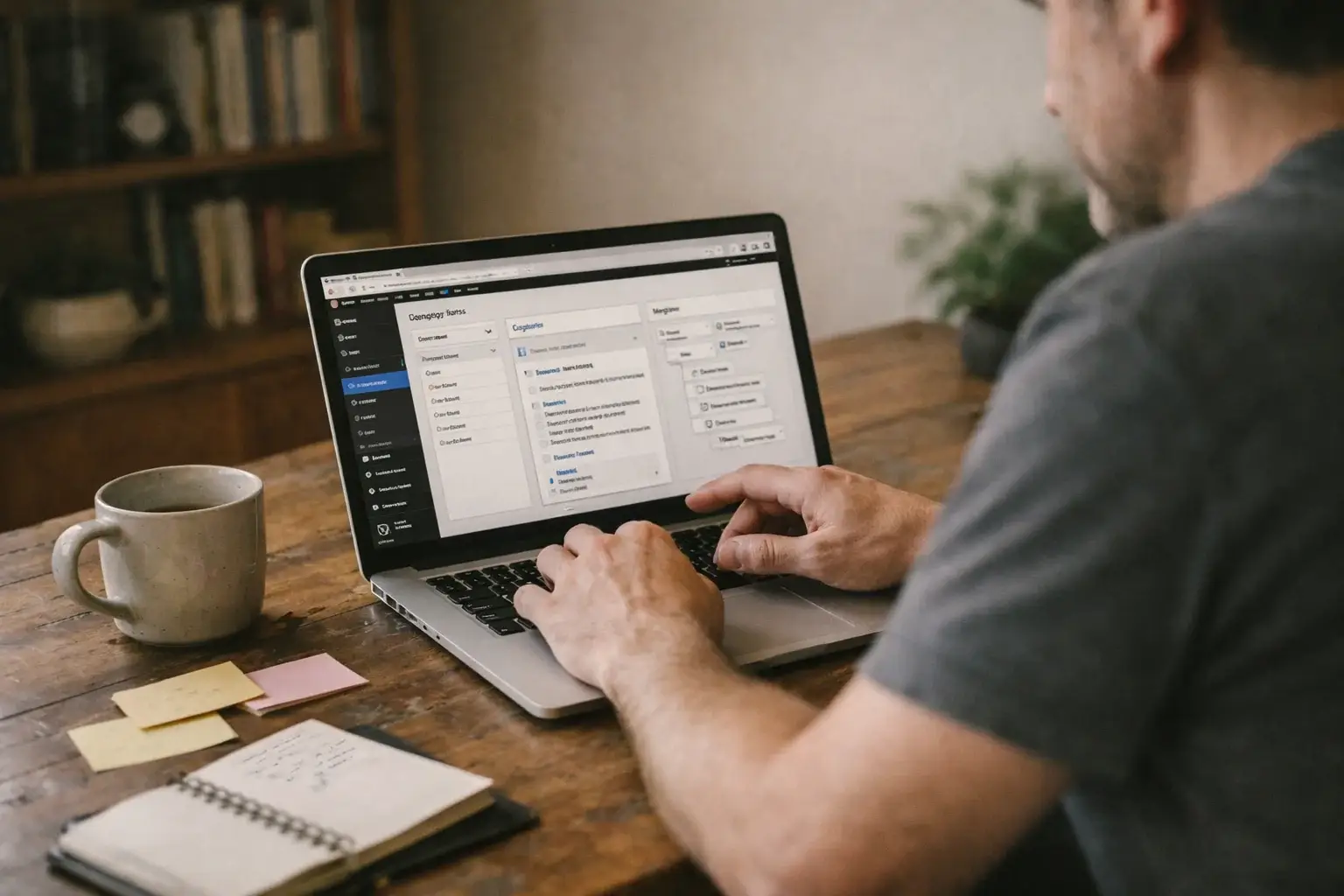
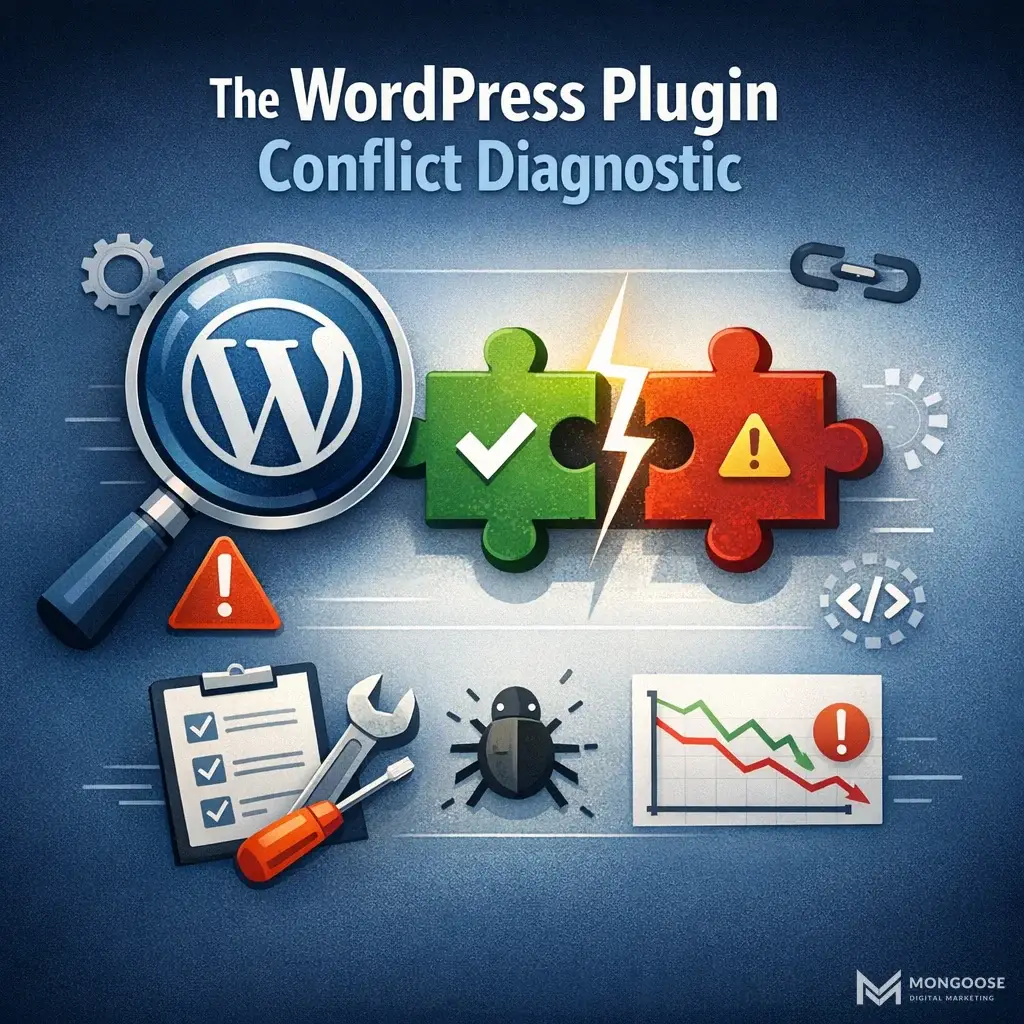
When Yoast generates a canonical tag and a caching plugin rewrites response headers and a CDN plugin strips certain meta tags, the conflict does not appear in any single plugin’s settings panel. It appears in the rendered HTML that Googlebot actually receives. Reviewing plugin settings tells you what each tool is configured to do. It does not tell you what the browser or crawler actually sees after all layers have processed the page.
This distinction matters for every client site Mongoose audits. The diagnostic step that resolves plugin conflicts is comparing the pre-render HTML source to the post-render DOM output for SEO-critical tags: canonicals, title tags, meta descriptions, schema blocks, and open graph tags. If those outputs do not match across plugins, you have a conflict regardless of what the settings screens say. Addressing plugin conflicts as a configuration task rather than a system diagnosis problem is the most common reason WordPress SEO audits miss the actual issue. For a broader look at how technical SEO services in Dayton approach these system-level diagnostics, that article covers the wider framework beyond WordPress specifically.
Illustration, not a photograph of a completed client project.
Have a question about wordpress seo services? Send a message with the situation you are working through and the decision you need help with. Ask for a written explanation of possible next steps.
The Crawl Budget Problem Most WordPress Sites Ignore
Crawl budget is the number of URLs Googlebot will process on your site within a given crawl period. WordPress generates URLs prolifically by default: tag archive pages, category archive pages, author archive pages, date-based archives, pagination chains, and filter parameter URLs on WooCommerce stores. Every one of these consumes crawl budget. None of them directly drives revenue.
The standard advice is to noindex low-value archives. That is correct as far as it goes. What it skips is the sequenced decision process for which archive types to address first, and what the right remediation path is depending on whether those URLs are already indexed.
Here is the reasoning framework practitioners use:
Crawl Budget Prioritization: A Decision Sequence
Step one: Separate indexed URLs from unindexed URLs.
Open Google Search Console’s Index Coverage report and filter for “Valid” pages. Export the list. Cross-reference it against your site’s archive URL patterns. Tag archive pages, author archives, and date archives that appear in the Valid list have already been indexed. Those require a different remediation path than archives that have never been crawled.
Step two: Apply the correct remediation by status.
| Archive Type | Already Indexed? | Correct Remediation Path |
|---|---|---|
| Tag archive pages | Yes | Add noindex meta tag, then request URL removal via Search Console after crawl confirms noindex |
| Tag archive pages | No | Add noindex meta tag and update XML sitemap to exclude them |
| Author archives (thin content) | Yes | Noindex, request removal in Search Console |
| Author archives (thin content) | No | Noindex, exclude from sitemap, block in robots.txt if needed |
| Paginated category pages (page 2, 3…) | Yes | Evaluate whether pagination serves a user need; if not, noindex pages beyond page 1 |
| WooCommerce filter parameter URLs | Yes | Implement canonical tags pointing to base category URL; use parameter handling in Search Console |
| WooCommerce filter parameter URLs | No | Block via robots.txt disallow rules for parameter patterns |
| Date-based archives | Yes | Noindex and request removal |
| Date-based archives | No | Noindex and exclude from sitemap |
Treating all of these as a single “noindex archives” action misses the operational difference between preventing future indexation and correcting existing indexation. Pages that are already indexed will continue to appear in search results and consume crawl budget even after you add a noindex tag, until Googlebot recrawls them and the removal request processes. The timing gap matters for sites with large archive footprints.
Step three: Address crawl depth and internal link distribution.
After archive cleanup, the next question is whether your internal link structure actually routes crawl equity to your revenue pages. WordPress themes and page builders commonly generate automatic links to tag and category archives from every post. If those archives are now noindexed, the internal links pointing to them are distributing link equity to pages that Googlebot is instructed to ignore. Redirect those internal links to the relevant category landing pages or service pages instead.
On-Page SEO at the Template Level
Single-page optimization misses the compounding problem. On a WordPress site, every product page inherits its title tag structure from the WooCommerce product template. Every blog post inherits its meta description behavior from the single post template. Every category page inherits its heading hierarchy from the archive template.
This means one misconfigured template produces hundreds of duplicated or auto-generated title tags, H1s that repeat across pages, or meta descriptions that are empty by default. The fix is not editing individual pages; it is auditing and correcting the template output, then validating that new pages published after the fix inherit the corrected behavior.
The on-page work Mongoose applies to WordPress sites addresses this template-first:
- Title tag review against the actual template logic in the SEO plugin, not just the visible front-end output
- H1 consistency audit across each template type: single posts, pages, product pages, category pages, and custom post types
- Internal link review to identify whether footer menus, widget areas, and related-post modules are directing link equity toward revenue pages or away from them
- Image alt text validated at the template level so featured images and product images output descriptive alt attributes by default, not empty strings or file names
Schema Markup and the WooCommerce Complexity
WooCommerce sites carry additional schema complexity because product pages, category pages, and review aggregations each require distinct structured data types. The common failure pattern is that an SEO plugin applies a generic schema template across all post types, which means product pages may output Article schema instead of Product schema, or category pages may output no schema at all.
Schema markup per template, not per page, is the correct implementation approach. This means:
- Product pages receive Product schema with price, availability, and aggregate rating where applicable
- Category pages receive a valid schema type appropriate to the content, typically BreadcrumbList
- Blog posts receive Article schema with author and publish date
- Location-specific service pages receive LocalBusiness schema where relevant
The connection between schema markup and visibility in AI-generated answers is not incidental. Large language models and AI Overviews prefer content that is well-structured, clearly attributed, and consistently referenced across the web. A WordPress site with clean, template-level schema signals to both Google and AI platforms that the content is reliably organized and authoritative. This is not a separate GEO service requirement; it is the downstream result of implementing WordPress technical SEO correctly.
What Good WordPress SEO Services Actually Deliver
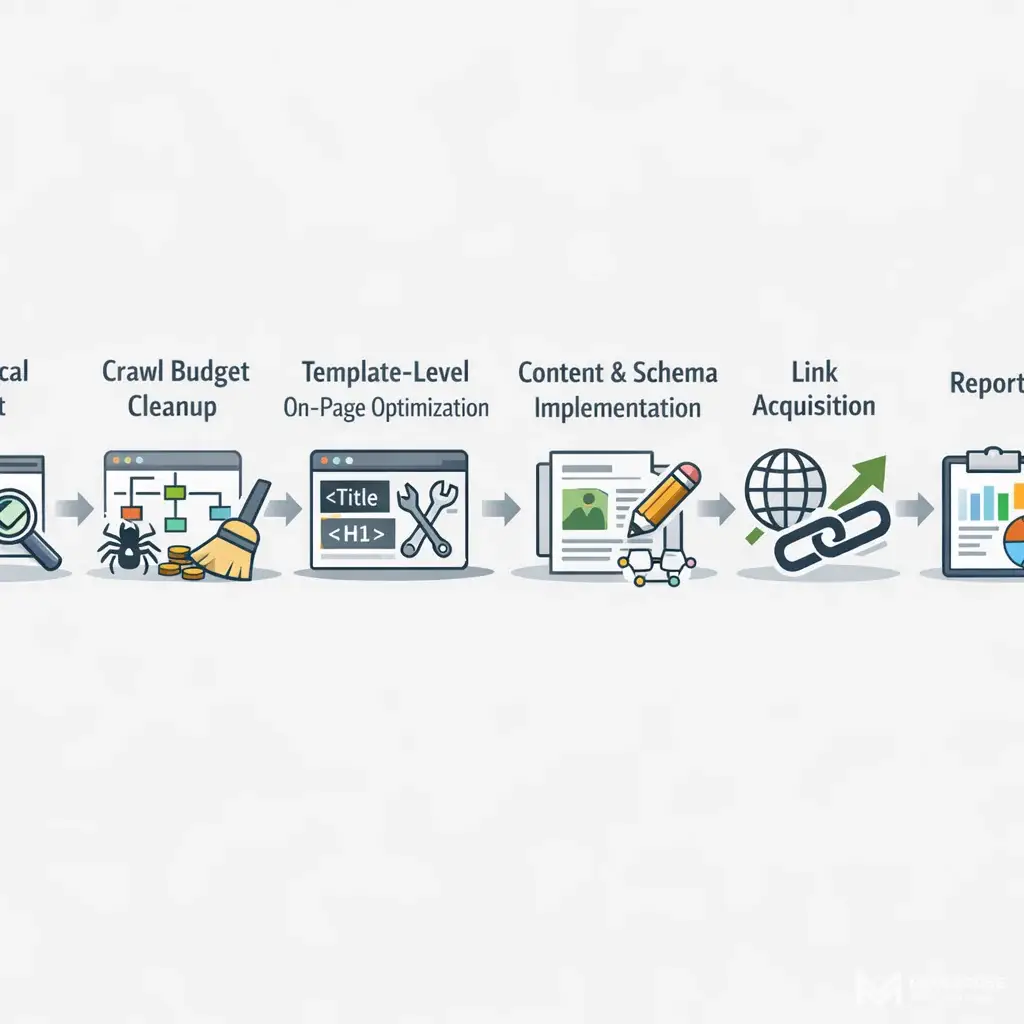
The service scope for effective WordPress SEO is not a checklist; it is a connected sequence where each phase enables the next.
Illustration, not a photograph of a completed client project.
Technical audit: Establishing a baseline by mapping every crawl blocker, indexation error, plugin conflict, and Core Web Vitals failure before any other work begins. This audit covers the full plugin stack, not just the SEO plugin, and validates output at the DOM level.
Crawl budget cleanup: Applying the sequenced decision framework described above, addressing already-indexed problem URLs and unindexed problem URLs through separate remediation paths.
Template-level on-page optimization: Correcting title tag structures, heading hierarchies, and internal link logic at the template level so the fix scales across every page of that type automatically.
Schema implementation per template: Assigning the correct structured data type to each template, validating in Google’s Rich Results Test, and monitoring for errors in Search Console’s Enhancement reports.
Content development mapped to revenue pages: Keyword research tied to specific page types, not abstract keyword lists. A keyword is only useful if there is a page on your site capable of ranking for it, or if a page will be built to target it. This is a core principle behind SEO strategy services in Dayton that move beyond surface-level fixes to align content with actual business outcomes.
Link acquisition: Building domain authority through legitimate means that align with Google’s guidance. As Google’s own documentation notes, no provider can guarantee rankings, and any agency claiming a special relationship with Google or promising first-place results should be treated with skepticism. (Source: Google Search Central, “Do You Need an SEO?”)
Reporting tied to business outcomes: Organic sessions, conversion events, and revenue from organic traffic, not ranked keyword counts. A keyword ranking in position 8 for a term no one searches is not a business result.
Choosing a WordPress SEO Partner in the Miami Valley
Businesses across Dayton, Kettering, Beavercreek, Centerville, Huber Heights, Miamisburg, and Springboro run WordPress sites that range from simple service pages to full WooCommerce stores. The complexity of the site determines the complexity of the SEO engagement, but the diagnostic approach is the same regardless of size.
Google’s hiring guidance is worth reading directly before selecting any SEO partner. The guidance recommends asking for examples of previous work, verifying that the agency follows Google Search Essentials, and confirming that recommendations cite official Google documentation as supporting evidence. It also states clearly that any agency claiming guaranteed rankings or a special relationship with Google should be avoided. (Source: Google Search Central, “Do You Need an SEO?”)
Mongoose Digital Marketing operates as a single partner for web design, SEO, and digital marketing, which means technical SEO recommendations can be implemented directly in the site’s codebase rather than handed off to a separate development team. That connection between strategy and implementation is where WordPress SEO work either compounds into results or stalls at the recommendation stage.
A free consultation with Mongoose starts with your current site, your current traffic, and where the gap between the two actually is.
Frequently Asked Questions
How do I know if my WordPress site has a plugin conflict affecting SEO?
The most reliable indicator is a mismatch between what appears in the raw HTML source and what appears in the rendered DOM after all plugins have executed. If your canonical tag, title tag, or schema markup looks correct in your SEO plugin’s settings but differs from what a crawler actually receives, you have a conflict. Reviewing settings screens alone will not surface this. Use your browser’s developer tools alongside Google Search Console’s URL Inspection tool to compare the pre-render source against the post-render output for every SEO-critical tag.
What is the difference between noindexing archive pages and removing them from Google’s index?
Adding a noindex tag to an archive page prevents future indexation but does not immediately remove pages that Google has already indexed. For archive URLs already appearing as valid pages in Google Search Console, the correct sequence is to add the noindex tag, confirm that Googlebot has recrawled the page and registered the tag, and then submit a URL removal request through Search Console. Skipping the removal request means those pages continue appearing in search results and consuming crawl budget until the recrawl cycle catches up, which can take weeks on large sites.
Does WordPress SEO work differently for WooCommerce stores than for standard sites?
WooCommerce introduces specific technical complexity that does not exist on standard WordPress sites. Filter parameter URLs can multiply the number of crawlable URLs dramatically, requiring parameter handling rules or robots.txt disallow directives depending on whether those URLs are already indexed. Product pages require Product schema rather than the generic Article schema that SEO plugins may apply by default. Category pages carry their own schema requirements. Duplicate product pages generated by tag or attribute variations need canonical tags pointing to the base product URL. Each of these requires a separate remediation path, not a single site-wide rule.
Can any WordPress SEO agency guarantee first-page rankings?
No. Google’s own published guidance states that no one can guarantee a number-one ranking on Google, and advises buyers to avoid any agency claiming a special relationship with Google or promising a specific ranking outcome. The same guidance recommends verifying that an SEO provider follows Google Search Essentials and that their recommendations cite official Google documentation. Sound WordPress SEO work improves crawlability, indexation, and relevance signals, which create conditions favorable to ranking improvement, but the outcome depends on factors including competition, domain authority, and how Google’s algorithms weigh those signals at any given time.
Conclusion
WordPress SEO works or fails at the system level, not the page level. A template misconfiguration scales across every page built from that template. A plugin conflict rewrites the SEO output that Googlebot actually receives, regardless of what any settings screen shows. An archive footprint that grows unchecked drains crawl budget away from the pages that drive revenue.
The businesses that see compounding results from WordPress SEO are the ones working with a partner who diagnoses the platform as a system first, then sequences the remediation work in an order that removes blockers before layering on optimization. That connection between technical diagnosis and implementation is where the work either compounds into results or stalls permanently at the recommendation stage.
Mongoose Digital Marketing works with WordPress sites across Dayton, Kettering, Beavercreek, Centerville, Huber Heights, Miamisburg, Springboro, and the surrounding Miami Valley. If your site’s traffic has stalled or dropped and you want to understand what is actually causing it, a conversation with Mongoose starts with your current site and works forward from there.