
How to Run Meta Ads: The Complete 2025 Guide (Including What the Tutorials Skip — Algorithm Training, Learning Phase Management, and Why Your Creative Is Now Your Targeting)
Most guides on how to run Meta ads will walk you through the same checklist: create a Business Manager account, connect your Facebook Page, pick a campaign objective, set a budget, upload your creative, and hit publish. That checklist is not wrong. It is just massively incomplete.
Here is the reality: the setup takes a few hours. The actual work — the optimization, the signal-building, the creative architecture, the data interpretation — is ongoing. Every tutorial that ends at “monitor your metrics” has handed you the keys to a high-performance vehicle and left out the owner’s manual.
This guide is the owner’s manual.
We are going to cover the full setup process, but more importantly, we are going to cover what happens after launch — how Meta’s algorithm actually learns, why your campaign objective is an instruction to a machine learning system (not just a label), and why your creative is now your most powerful targeting tool. These are the things experienced practitioners understand and most tutorials skip entirely.
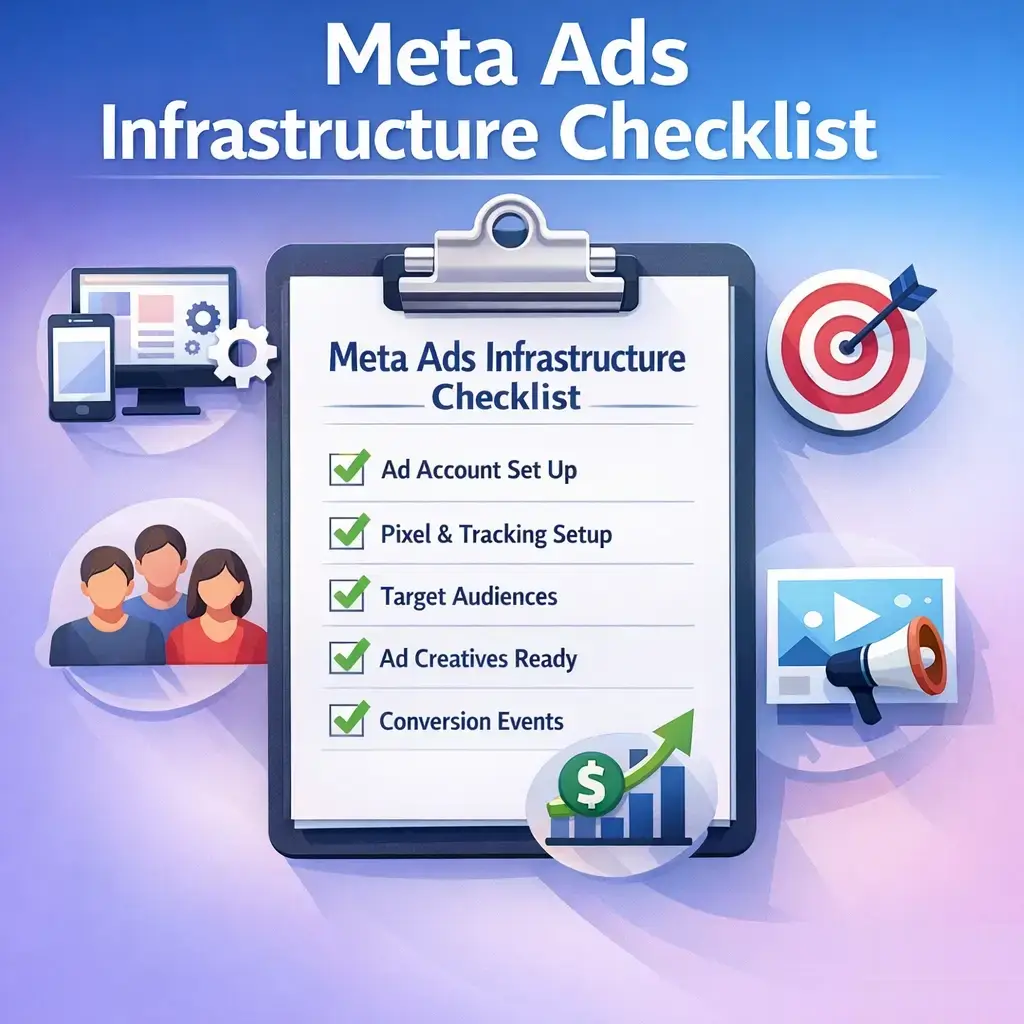
The Foundation: What You Need Before You Touch Ads Manager
Before building a single campaign, you need the right infrastructure. Skipping this step is one of the most common reasons new advertisers waste budget on campaigns that deliver weak results regardless of how well the ads themselves are built.
Business Manager (Meta Business Suite)
Your ad account, your Facebook Page, your Instagram profile, and your pixel all need to live inside a single Meta Business Manager account. This is not optional — it is the infrastructure layer that connects all your assets and protects your account in the event of a personal account issue.
Go to business.facebook.com to set this up. Add your business details, connect your Facebook Page, and create an ad account assigned to your business — not your personal profile.
The Meta Pixel and Conversions API: This Is Not Optional
Every competitor guide tells you to install the Meta Pixel. Very few tell you that the Pixel alone is no longer sufficient.
Since iOS 14.5, browser-based tracking has been severely limited by Apple’s App Tracking Transparency framework. Users who opt out of tracking — a significant portion of iOS users — generate events that the Pixel simply cannot capture. This means your campaign is making optimization decisions based on incomplete data.
The solution is the Conversions API (CAPI) — a server-side tracking layer that sends event data directly from your web server to Meta, bypassing browser restrictions entirely. When both the Pixel and CAPI are running simultaneously in a deduplicated setup, your event match quality improves substantially, and so does your algorithm’s ability to find the right people.
If your site runs on a major e-commerce platform, server-side integration is available through native settings. If you are running a custom site or lead generation funnel, this requires developer implementation or a third-party tracking tool. Either way, do it before you spend a meaningful amount of budget.
Verify Your Domain and Configure Aggregated Event Measurement
Post-iOS 14.5, Meta requires domain verification and the setup of Aggregated Event Measurement (AEM) — a framework that prioritizes up to eight conversion events per domain. You need to rank these events in order of importance (e.g., Purchase ranked above Add to Cart, which ranks above View Content). Meta will use this hierarchy to manage attribution when users have opted out of tracking.
Skipping this step means your most important conversion events may not be tracked or optimized for properly.
Campaign Structure: The Three Levels and Why They Each Matter
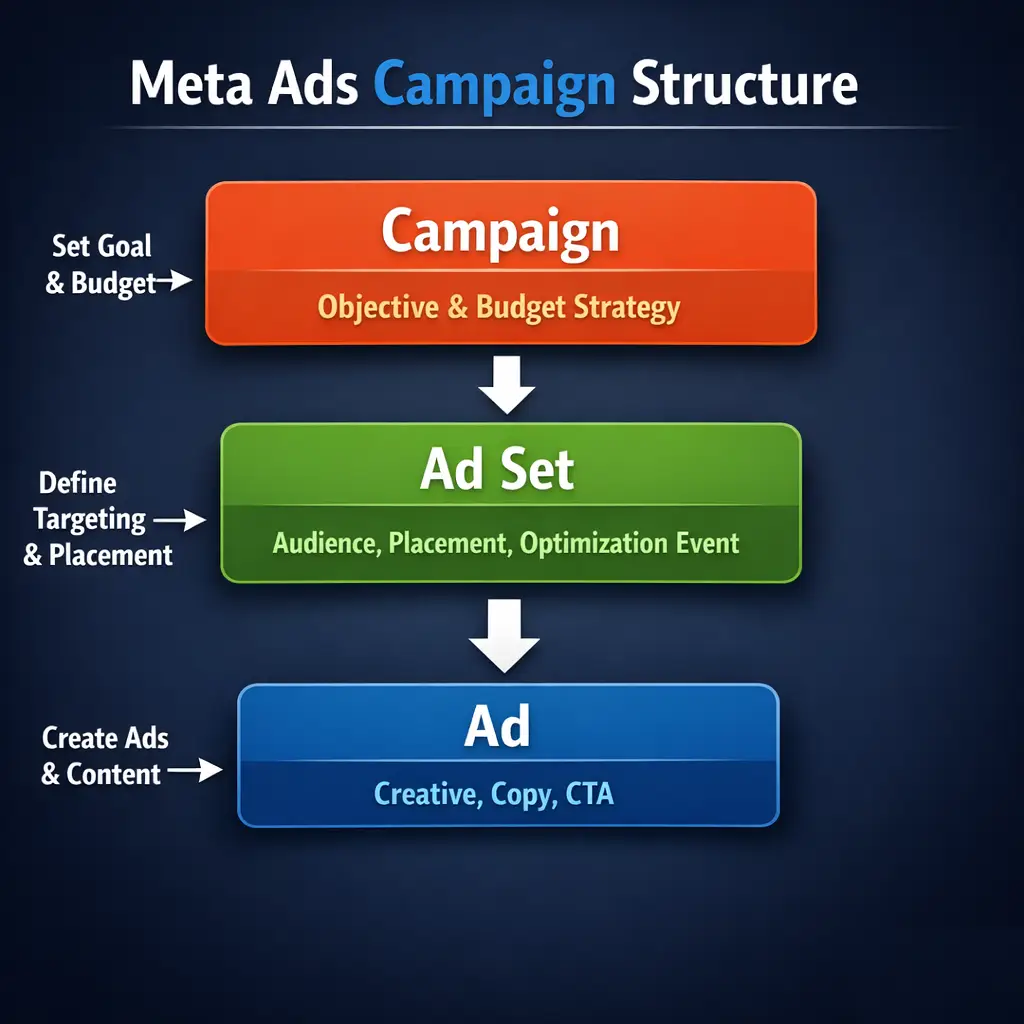
Meta Ads operate on a three-tier hierarchy: Campaign → Ad Set → Ad. Understanding what decisions belong at each level is essential to building campaigns that are both manageable and algorithm-friendly.
| Level | What You Control | Why It Matters |
|---|---|---|
| Campaign | Objective, Campaign Budget Optimization (CBO) toggle | Tells Meta’s algorithm what outcome to optimize for — this is your highest-leverage decision |
| Ad Set | Audience, budget (if ABO), placements, schedule, optimization event | Defines who sees your ads and how much is allocated to that audience segment |
| Ad | Creative (image/video), copy, headline, CTA, destination URL | The actual message your audience sees — and increasingly, the mechanism that drives targeting |
Campaign Objective: You Are Training an Algorithm, Not Filling Out a Form
This is where most advertisers make their most consequential early mistake, and it is almost never discussed with enough seriousness.
When you select a campaign objective, you are not simply labeling what you want to happen. You are issuing an instruction to Meta’s machine learning system about what kind of person to find. Meta’s algorithm will go into its auction, observe behavioral patterns across billions of users, and optimize delivery toward the profile of person most likely to complete the action you specified.
Choose wrong, and you are not just running a suboptimal campaign — you are actively corrupting your pixel data with the wrong audience signals. For a deeper look at how Meta’s delivery system actually makes these decisions, the article on Facebook advertising management and how Meta’s algorithm works breaks down the mechanics in detail.
The Traffic Objective Trap
This is the most common mistake made by new advertisers. The Traffic objective tells Meta to find people who click links. Meta is very good at this. It will find you an enormous volume of link clicks at a low cost per click.
The problem: people who click links are not the same people who buy products or fill out lead forms. By running a Traffic campaign, you are populating your pixel with data from curious clickers and low-intent browsers. When you later run a Conversions campaign and ask Meta to build a lookalike audience from your pixel data, it is drawing from that contaminated pool.
The rule: Match your objective to the actual outcome you want from day one. If you want purchases, optimize for purchases. If you want leads, optimize for leads.
The Objective Sequencing Exception for New Accounts
There is one legitimate reason to work up to your primary conversion event — and it has nothing to do with creative testing. If you are a new account with zero pixel history and a high-value conversion event (like a multi-step purchase or a high-ticket form submission), Meta may not have enough signal to exit the learning phase on that event alone.
In that case, objective sequencing is a valid strategy: start by optimizing for a lower-funnel proxy event (such as Add to Cart, Initiate Checkout, or a key page view) to build pixel volume faster. Once you have sufficient event data, shift to optimizing for your primary conversion event. You are not misleading the algorithm — you are building the data foundation it needs to work effectively.
Maximize Conversions vs. Maximize Conversion Value
For businesses running e-commerce with varied product price points, this distinction matters significantly. Maximize Conversions tells Meta to get you as many conversion events as possible within your budget. Maximize Conversion Value tells Meta to prioritize higher-value transactions, even if it means fewer total conversions.
If you sell products ranging widely in price, defaulting to Maximize Conversions may result in Meta flooding you with low-value orders. Switching to Maximize Conversion Value shifts optimization toward your higher-margin sales — but requires sufficient purchase data to work effectively.
The Learning Phase: What It Actually Is and How to Manage It
Every guide mentions the learning phase. Almost none explain what is actually happening during it, which means advertisers make avoidable mistakes that reset it repeatedly.
What the Learning Phase Actually Is
When you launch a new ad set, Meta’s algorithm enters a signal calibration window. It is running controlled experiments across different user segments, times of day, placements, and creative variations, observing who actually completes the optimization event, and updating its delivery model accordingly. The commonly cited threshold — approximately 50 optimization events in a seven-day period — is the point at which Meta considers it has enough data to stabilize delivery.
Before you exit the learning phase, CPMs are often higher, delivery can be inconsistent, and results will fluctuate. This is normal. The mistake is interpreting that volatility as a signal to make changes.
The Number One Learning Phase Killer
Editing an active ad set resets the learning phase entirely. This includes:
- Changing the audience targeting
- Adjusting the budget (in most cases)
- Swapping the creative
- Changing the optimization event
- Pausing and restarting the ad set
Every time you make a significant edit, Meta treats it as a new ad set from a signal perspective and starts the calibration process over. Advertisers who constantly tweak their campaigns in the first week are essentially running a perpetual learning phase and never reaching stable, optimized delivery.
The discipline required here is counterintuitive: launch, and then leave it alone until you have statistically meaningful data.
Learning Limited: What It Means and How to Fix It
If your ad set shows a “Learning Limited” status, Meta is telling you it cannot gather enough signal to exit the learning phase. Common causes and remedies include:
| Cause | Fix |
|---|---|
| Budget too low to generate 50 events in 7 days | Increase budget or broaden audience to reduce cost per event |
| Audience too narrow | Expand targeting or switch to Advantage+ Audience |
| Optimization event too rare (e.g., Purchase on new pixel) | Optimize for a higher-frequency proxy event (Add to Cart, Lead) |
| Too many ad sets splitting the same budget | Consolidate ad sets; fewer, broader ad sets exit the learning phase faster |
| Ad set paused and restarted frequently | Maintain consistent delivery; avoid pausing except when necessary |
The last point in that table is worth expanding on, because it directly contradicts how many advertisers structure their campaigns. Fragmented, hyper-targeted ad sets — running five or six narrow audiences simultaneously with split budgets — are one of the most reliable ways to stay permanently in the learning phase. Consolidated Campaign Architecture, where you run fewer ad sets with broader audiences and allow Meta’s algorithm to self-optimize delivery, consistently exits the learning phase faster and generates more stable results.
Audience Strategy: Cold, Warm, and Hot — Not Just “Broad vs. Detailed”
Most advice on Meta audience targeting swings between two poles: “go broad and let the algorithm decide” or “use detailed targeting to reach your niche.” The reality is more structured than that.
Effective audience strategy is about matching your message to the temperature of your audience — how familiar they are with your business — and building a framework that serves all three levels of awareness simultaneously.
Cold Audiences: Top of Funnel
Cold audiences have no prior relationship with your business. Your options include:
- Broad targeting — minimal demographic restrictions, letting Meta’s algorithm find the right users based on your pixel data and creative signals
- Detailed targeting — interests, behaviors, and demographics layered together (less effective post-2022 as Meta has reduced the granularity of interest data)
- Lookalike audiences — built from your customer list, pixel purchasers, or high-value website visitors. Lookalikes built from purchase data remain among the highest-performing cold audience types available
For cold audiences with no prior pixel history, broad targeting combined with strong creative is often the right starting point. The creative becomes the filter.
Warm Audiences: Mid Funnel
Warm audiences have interacted with your business in some way — they have visited your website, engaged with your Facebook or Instagram content, watched a portion of your video, or opened a lead form without submitting.
These audiences are significantly less expensive to reach and convert at higher rates than cold traffic. Running retargeting campaigns to warm audiences with a different message than your cold traffic campaigns is one of the most reliable ways to improve overall account efficiency.
Hot Audiences: Bottom of Funnel
Hot audiences include past purchasers, high-intent website visitors (cart abandoners, pricing page visitors), and people who have completed a key action on your site. These are your highest-value segments for retention campaigns, upsell offers, and win-back sequences.
A Note on Advantage+ Audience
Advantage+ Audience is Meta’s automated targeting feature that removes most manual audience constraints and allows the algorithm to determine who sees your ads. It works well when:
- You have substantial pixel history and event data
- Your creative is strong enough to serve as an implicit targeting signal
- Your product or service has broad market appeal
It works poorly when:
- Your pixel is new and has limited data
- Your offer is highly niche with a genuinely narrow addressable market
- You are retargeting and need precise segment control
Turning on all Advantage+ features simultaneously on a new account with no pixel history is one of the more counterproductive things a new advertiser can do, despite Meta’s interface presenting it as the recommended path.
Ad Creative: Your Targeting Mechanism in 2025
This is the insight that separates practitioners running active accounts from people writing tutorials based on documentation.
In 2025, your creative is your targeting mechanism. This is not hyperbole — it is a direct consequence of how Meta’s Advantage+ and broad audience systems operate. When you give Meta a large, relatively undefined audience pool and let the algorithm self-optimize delivery, the content of your creative becomes the primary signal Meta uses to determine which segment of that pool receives your ad.
An ad featuring a specific problem resonates with a problem-aware audience segment. An ad featuring a comparison resonates with a solution-aware audience. An ad built around brand story and social proof reaches a different psychological profile entirely. Meta reads engagement signals — stops, shares, comments, link clicks — and routes delivery accordingly.
If your creative is generic, Meta has no clear signal to work with, and delivery becomes diffuse and inefficient.
The 3-Second Hook: Why the First Seconds of a Video Ad Determine Everything
Meta measures something called thumb-stop rate — the percentage of users who stop scrolling to watch your video ad. This metric is tracked internally and influences your ad’s relevance and delivery efficiency.
When a video ad generates strong early engagement (pauses, replays, sound-on views), Meta’s system classifies it as high-relevance content and expands delivery. When the first three seconds fail to hold attention, the algorithm reduces distribution because the data signals low relevance.
The structure that consistently performs:
- Open with the tension, problem, or pattern interrupt — not your brand name, not your product shot
- Establish relevance within three seconds — the viewer needs to see themselves in the content
- Deliver the proof or transformation — evidence that your offer resolves the tension
- Close with a clear, low-friction CTA — tell them exactly what to do next
Creative Portfolio Thinking vs. the “Winning Ad” Fallacy
Many advertisers focus on finding one winning ad and scaling it. This approach breaks down for two reasons: creative fatigue, and the reality that different audience segments respond to different psychological triggers.
A creative portfolio approach means running variants that address different awareness states and motivations simultaneously, allowing Meta to self-optimize which variant gets served to which segment. You are not picking one winner — you are building a system where the algorithm distributes the right message to the right person within your broader audience.
Creative Fatigue: A Data Event, Not a Feeling
Creative fatigue is not something you sense — it is something you measure. Indicators include:
- Frequency climbing above 3–4 on cold audiences
- Click-through rate declining week-over-week despite stable targeting
- Cost per result increasing while CPM holds steady
- Engagement rate (comments, shares, reactions) declining
When these signals appear together, it is time to refresh creative. The question is whether to refresh the hook and format while keeping the core message, or restructure the creative strategy entirely. If your best-performing concepts are fatiguing, refresh the execution. If CTR and conversion rate are both declining, the message itself may need reconsidering.
Attribution Settings: The Disconnect No One Talks About
The default attribution window in Meta Ads Manager is 7-day click and 1-day view. This means that if someone clicks your ad and converts within seven days, or simply views your ad and converts within one day without clicking, that conversion is attributed to your campaign.
Here is why this matters: your Ads Manager results and your actual business results can look very different depending on your sales cycle, your attribution window, and how many other marketing channels your customers interact with before converting.
Common attribution window options and their use cases:
| Attribution Window | Best For |
|---|---|
| 1-day click | Short-impulse purchases; daily budget decision-making |
| 7-day click (default) | Standard e-commerce; most lead generation |
| 7-day click + 1-day view | Brand awareness campaigns with soft conversions |
| 1-day click + 1-day view | High-frequency retargeting; same-day decision products |
If your sales cycle is short and your product is an impulse buy, the default window may actually over-report conversions by capturing users who would have purchased anyway through organic search. If your cycle is longer, a 7-day or even 28-day click window may be more appropriate to capture assisted conversions.
The point is not that one window is correct — it is that you need to choose deliberately, document your choice, and interpret your data in that context.
Post-Launch Optimization: A Decision Framework for What to Actually Do With Your Data
Most tutorials end at “launch your campaign and monitor results.” That is exactly where the real work begins.
Week One: Observe, Do Not Touch
During the learning phase, resist the urge to optimize. Your data is statistically immature. Changes made during this period reset your learning phase and extend the window of unstable delivery. The only exception: pause an ad if it is generating unusually high negative feedback (hides, “this ad is not relevant” reports) — because negative feedback directly impacts account quality.
Week Two Onward: The Optimization Decision Tree
Once you have exited the learning phase, use this framework to guide decisions:
If Cost Per Result is above your target:
– Is CTR low? → Creative problem. Test new hooks and formats.
– Is CTR acceptable but conversion rate low? → Landing page or offer problem. Review post-click experience. The article on conversion rate optimisation covers how to diagnose and fix the most common post-click breakdowns.
– Is CPM high? → Audience competition problem. Try broader targeting or different placement mix.
If Cost Per Result is on target:
– Gradually increase budget (no more than 20% increases every 48–72 hours to avoid triggering a new learning phase)
– Test new creative variants to build your fatigue buffer
– Identify your highest-performing ad sets and consider duplicating them at a higher budget rather than scaling the original
If an ad set is consistently underperforming after two weeks:
– Do not edit it — duplicate it with a change (new audience, new creative), then pause the original
– This preserves your account’s data history while resetting delivery on the new iteration
Account Health: The Factor That Affects Everything and Gets Mentioned Nowhere
Your ad account has a quality history, and that history affects your ad delivery, your CPMs, and your ability to scale.
Factors that negatively affect account health:
- High rates of negative feedback (ad hides, “not relevant” reports)
- Repeated policy violations, even minor ones
- Rapid, dramatic budget scaling on accounts with limited history
- Misleading or sensationalist ad copy — even if it does not technically violate policy
New accounts have lower spending limits precisely because Meta has no trust history to draw from. Those limits increase over time as you demonstrate consistent, policy-compliant advertising behavior. Trying to scale aggressively on a new account before those limits lift naturally is one of the fastest ways to trigger a restriction or payment hold.
The practical implication: treat your first campaigns on a new account as foundation-building, not just revenue generation. Running clean, policy-safe campaigns with reasonable budget growth builds the account history that makes scaling easier later.
Putting It Together: A Launch Sequence That Works
Step 1: Build your infrastructure first — Business Manager, Pixel, Conversions API, domain verification, and AEM event prioritization.
Step 2: Define your campaign objective based on the actual outcome you need, not the highest-volume metric. If your pixel is new, consider starting with a proxy event.
Step 3: Structure your campaign with consolidated ad sets — fewer, broader audiences rather than fragmented targeting. Choose Campaign Budget Optimization (CBO) for most cases, letting Meta allocate spend across ad sets based on performance signals.
Step 4: Build a creative portfolio — at minimum, two to three creative variants that address different audience awareness states. Prioritize video with a strong three-second hook.
Step 5: Set your attribution window deliberately and document it.
Step 6: Launch and observe. Do not touch active ad sets during the learning phase.
Step 7: After exiting the learning phase, use the optimization decision tree to identify bottlenecks — creative, offer, landing page, or audience — and address them systematically.
Step 8: Scale winning ad sets gradually. Build new creative regularly to stay ahead of fatigue. If Meta advertising is one piece of a broader paid acquisition strategy, the guide on PPC advertising management services outlines how to structure multi-channel paid campaigns for compounding ROI.
For more on Meta’s core advertising policies and account standards, you can review the official guidelines at Meta’s Advertising Policies and explore campaign setup documentation in the Meta Business Help Center.
Meta advertising in 2025 rewards advertisers who understand the system they are working with — not just how to navigate the interface, but how the algorithm learns, what signals drive performance, and how to build a structure that improves over time. The setup is the starting line. Everything after it is where results are actually built.
If you want a team that manages this process with precision — from pixel infrastructure through to ongoing optimization — Mongoose Digital Marketing works with businesses across North America to build Meta ad strategies that generate real, measurable growth.
Strategic Recommendations for 2026
As Meta’s advertising ecosystem continues to evolve, three areas deserve deliberate investment heading into 2026.
1. Adopt a First-Party Data Infrastructure
Third-party signal deprecation is not slowing down. Businesses that build robust first-party data pipelines — using tools like the Meta Conversions API paired with a customer data platform such as Segment or Klaviyo — will hold a structural advantage over competitors still relying on browser-based tracking alone. Prioritize collecting and activating email lists, purchase history, and CRM data directly through Meta’s API layer.
2. Integrate Creative Testing as a Formal Workflow
AI-assisted creative tools — including Meta’s own Advantage+ Creative features, as well as platforms like Foreplay or Motion for creative analytics — are making it faster to produce, test, and identify what actually works. In 2026, the advertisers who win will be those who treat creative production as an ongoing system rather than a periodic task. Build a documented testing cadence into your operation.
3. Explore Meta’s AI-Driven Campaign Products Deliberately
Advantage+ Shopping Campaigns and Advantage+ App Campaigns are expanding in scope. Rather than avoiding automation, the smartest move is to test these products with clear measurement frameworks in place — so you can evaluate whether they outperform your manually structured campaigns on the outcomes that matter to your business, not just the metrics Meta surfaces by default.
Frequently Asked Questions
How long does it take for a Meta ad campaign to exit the learning phase?
Meta’s learning phase typically resolves within seven days of an ad set going live, provided it generates enough optimization events — generally around fifty within that window. Campaigns targeting lower-volume events like purchases may take longer to exit the learning phase than those optimizing for higher-frequency events like landing page views or leads. Avoiding edits to your ad set during this period is critical, as changes reset the learning clock.
What is the difference between Campaign Budget Optimization and Ad Set Budget Optimization?
Campaign Budget Optimization, now called Advantage Campaign Budget, places your total campaign spend in a single pool and lets Meta’s algorithm distribute it across ad sets based on real-time performance signals. Ad Set Budget Optimization gives you direct control over how much each ad set spends independently. For most advertisers running consolidated account structures, Campaign Budget Optimization tends to produce more efficient results — though Ad Set Budget Optimization can be useful when you need to guarantee minimum delivery to a specific audience or test.
How do I know if my Meta ads are actually driving conversions or just taking credit for them?
Attribution is one of the most misunderstood areas of Meta advertising. The platform defaults to a seven-day click and one-day view attribution window, which can inflate reported conversions by crediting users who would have converted regardless of seeing your ad. To get a clearer picture, compare Meta’s reported results against your own analytics data, run periodic holdout tests if your volume supports it, and pay close attention to view-through attribution — especially for upper-funnel campaigns where view credit can significantly overstate impact.
When should I expand my Meta ad targeting versus keeping audiences narrow?
Counter to older advertising instincts, broader audiences generally outperform tight targeting in Meta’s current algorithm environment — particularly when your pixel has accumulated sufficient event data. Narrow targeting limits the signals Meta can use to find your best customers within a larger pool. The practical approach is to start with broad or interest-based audiences, allow the algorithm to optimize, and only introduce tighter parameters if performance data clearly identifies a specific segment worth isolating. Advantage+ Audience, Meta’s AI-driven targeting option, is worth testing as a benchmark against manually defined audiences.
Meta advertising done well is not a set-it-and-forget-it channel — it requires structured thinking at the campaign level, disciplined creative development, and consistent optimization informed by data rather than instinct. For businesses that want that process managed properly, Mongoose Digital Marketing brings hands-on expertise in paid social advertising and conversion-focused campaign strategy to clients across North America. If you’re ready to build a Meta ad program that compounds over time, Get a Free Estimate and start the conversation today.